

Your Loan Pass gives you quick access to your Alltru loan information from Apple Wallet or Google Wallet. Once you add it to your mobile wallet, you can view your loan details and quickly access the option to make a payment.

What would you like to do?
Add Your Loan Pass to Your Mobile Wallet
Step 1: Open the loan payment portal
From your mobile device, log in to the Alltru Loan Payment Portal. Your current loans will be displayed.
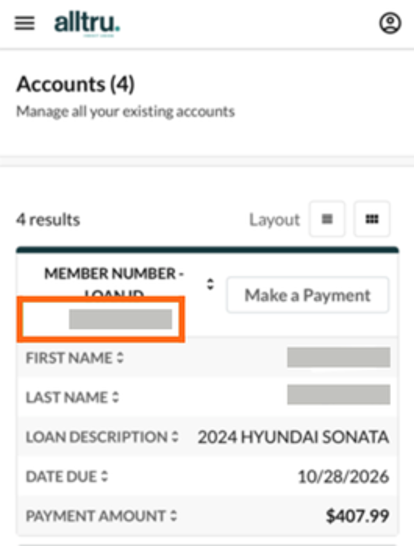
Step 2: Select your loan
Select the loan you want to add to your mobile wallet.
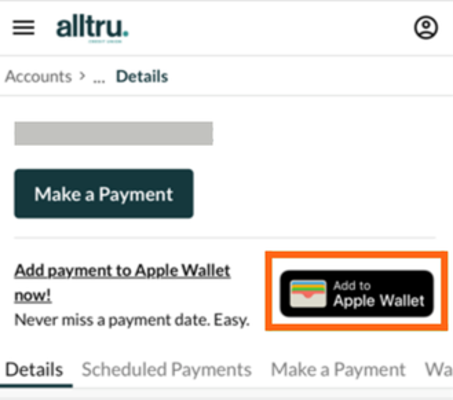
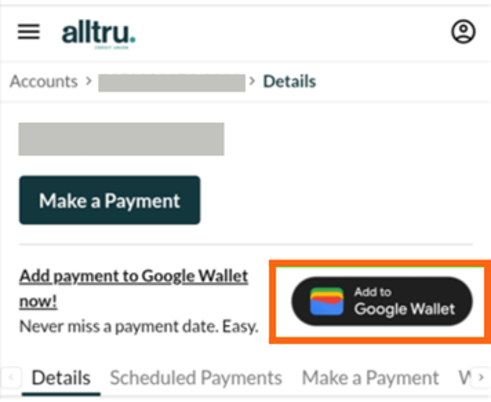
From the loan details, select Add to Apple Wallet or Add to Google Wallet, depending on your device.
Note: If you do not have a saved payment method in your account, you will not be able to add the Loan Pass to your mobile wallet.
Step 3: Add your Loan Pass
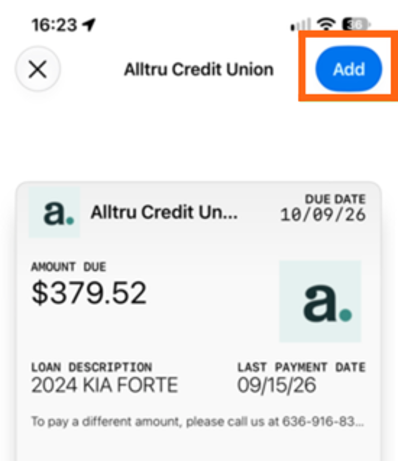
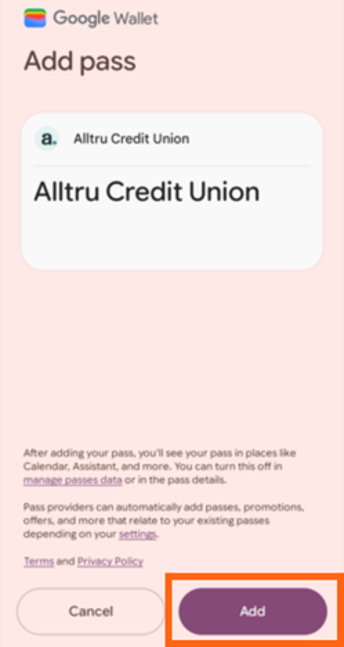
Your mobile wallet will open and display your Loan Pass.
Select Add to finish adding the pass to your wallet.
Make a Loan Payment From Your Loan Pass
Step 1: Open your Loan Pass
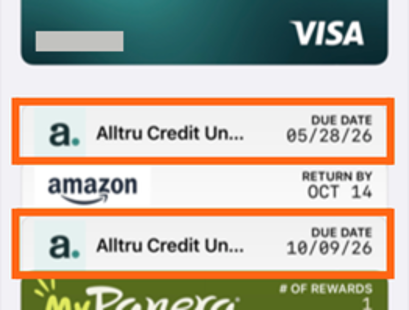
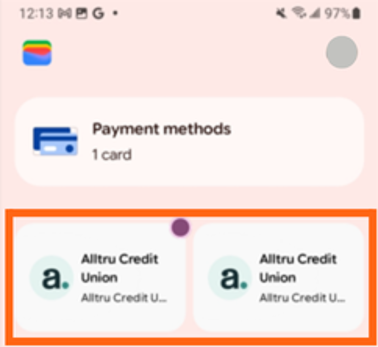
Open Apple Wallet or Google Wallet and select your Alltru Loan Pass.
Step 2: Select Make a Payment
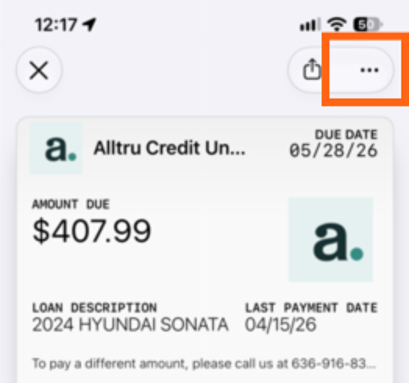
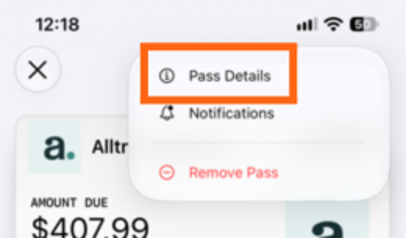
In Apple Wallet, select the three-dot menu, then select Pass Details.
In Google Wallet, open your Loan Pass, scroll down and select Make a Payment.
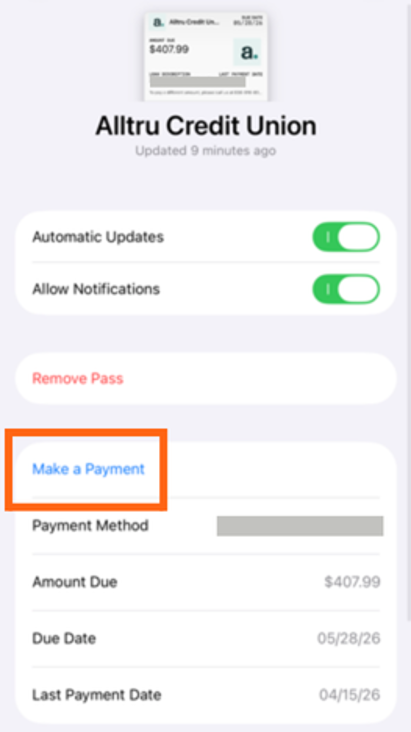
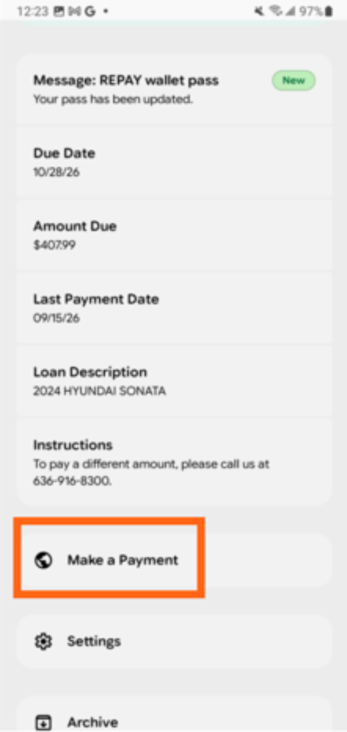
Step 3: Make your payment
Your mobile browser will open the payment form.
Enter the requested information, review the details, and select Pay to submit your payment.
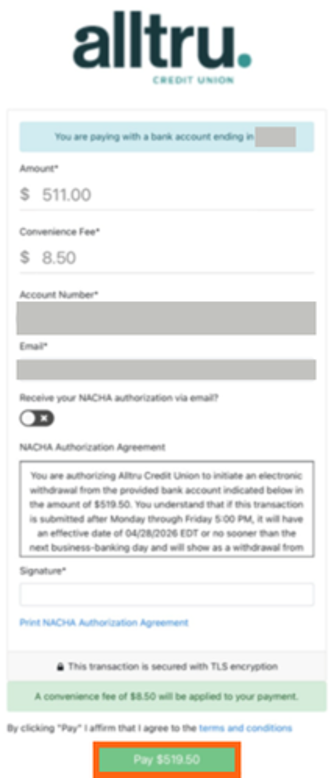
Step 4: Get a payment confirmation
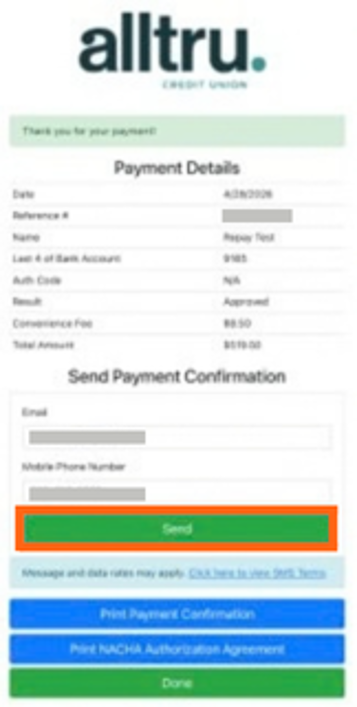
After your payment is processed, you’ll see your payment details.
To receive a copy of your payment confirmation, enter your email address or mobile phone number and select Send.