


Managing your bills just got easier. With Alltru’s convenient and upgraded Bill Pay service, you can securely pay your bills online anytime from anywhere. Use Bill Pay to stay on top of important payments like utilities, your mortgage, car insurance, and to even send money to an individual. It’s fast, secure, and accessible 24/7 through digital banking.
Getting Started with Bill Pay in Mobile Banking
Step 1: Open the Alltru CU app and click XX from the bottom menu. Then click the XX button.
How to Add a New Payee
Step 1: Open the Bill Center and click the Pay Bills tab in the top left of the menu. Then click the Add New Biller button.
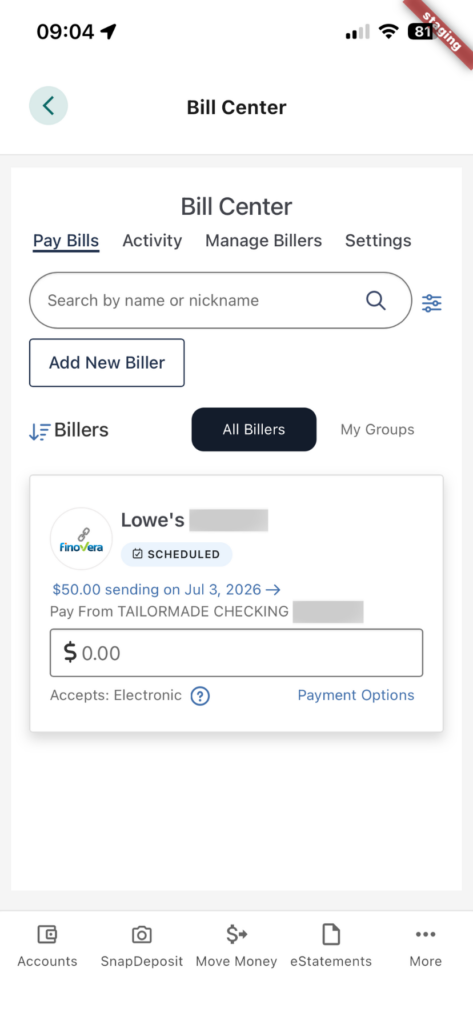
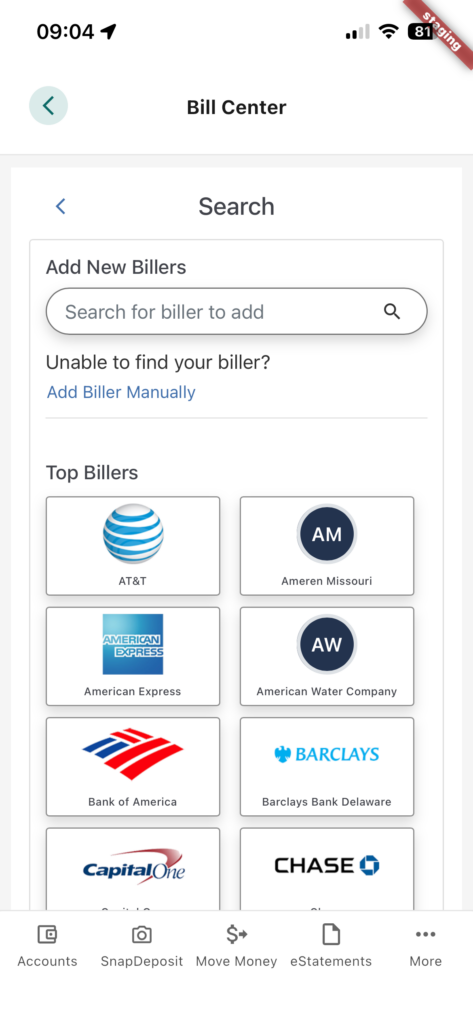
Step 2: Choose your biller from the default list or use the search bar at the top of the screen to find your biller.
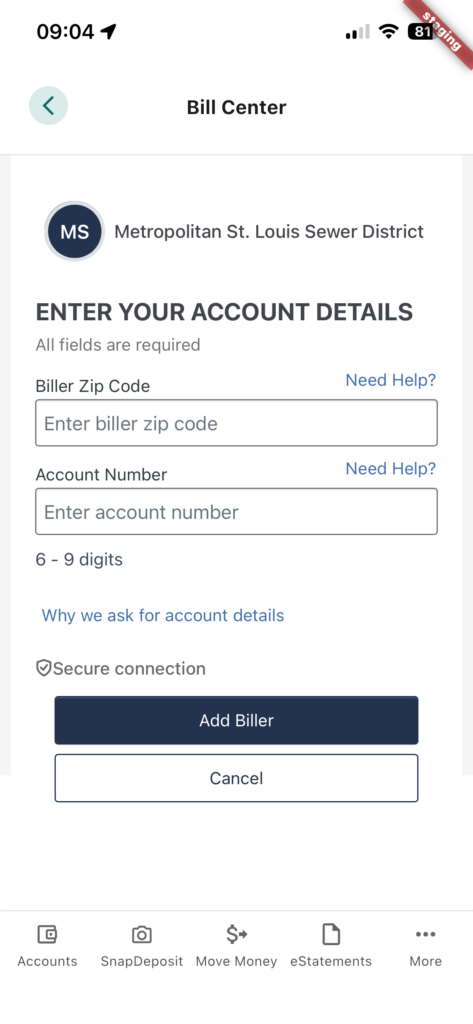
Step 3: Enter your account details including the biller zip code and account number. Then click the Add Biller button.
How to Schedule a Payment
Step 1: To schedule a bill, open the Bill Center and click the Pay Bills tab in the top left of the menu. Then click XX.
How to Manage Existing Payments
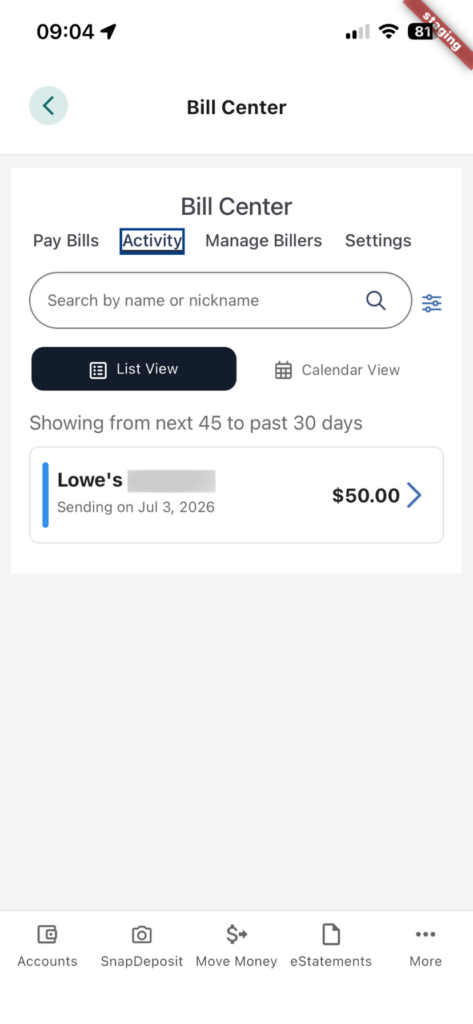
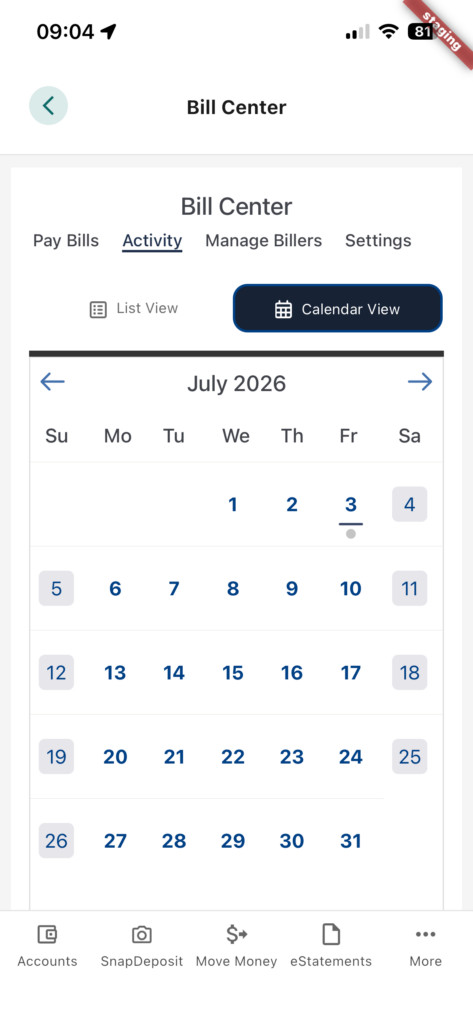
Step 1: To see your scheduled bills, go to the Activity tab in the top left of the menu. Click the Calendar View tab to see your scheduled bills in the calendar.
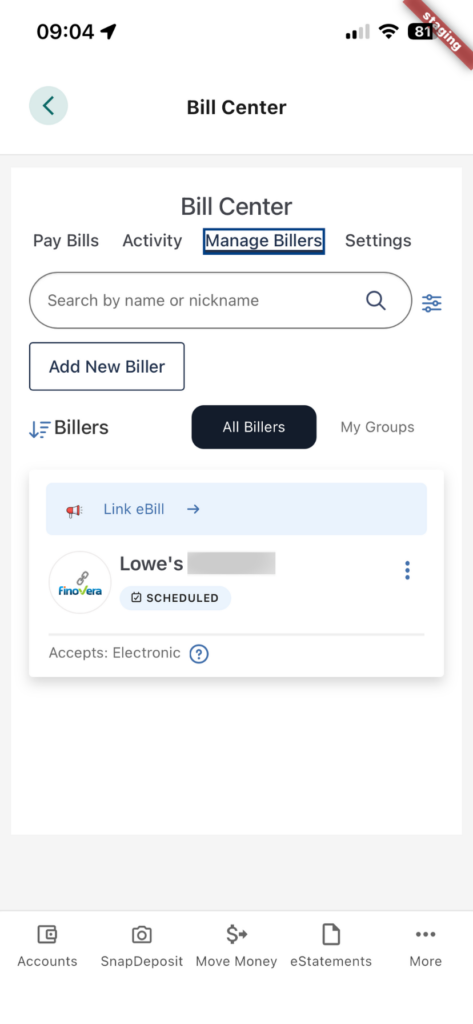
Step 2: To manage or update any scheduled bills, go to the Manage Billers tab in the top left of the menu. Then click the three dots to make changes.
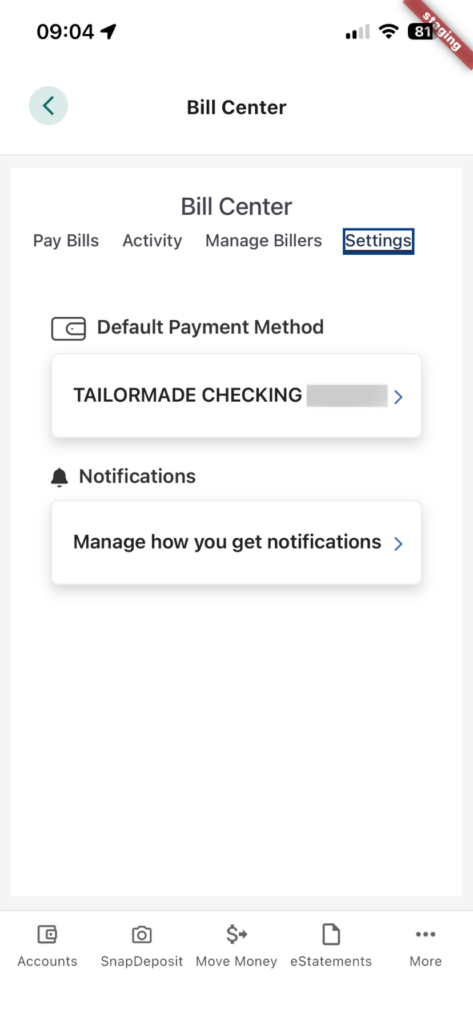
How to Update Your Settings
Step 1: To update your default payment method, go to the Settings tab in the top left of the menu. Then click the Default Payment Method to make changes.
If you have questions about the conversion or need assistance with the new Bill Pay system? Contact us at eServicesFeedback@alltrucu.org.