


Before you can make a payment with Bill Pay, you’ll need to add the company or person you want to pay to your biller list.

What would you like to do?
Add a Biller
Step 1: Open Bill Pay
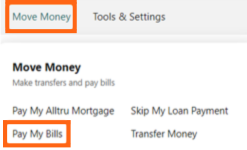
Log in to Online Banking and select Move Money, then Pay My Bills.
Step 2: Open Manage Billers
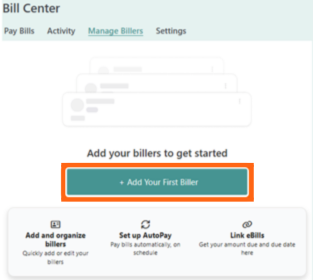
Select Manage Billers.
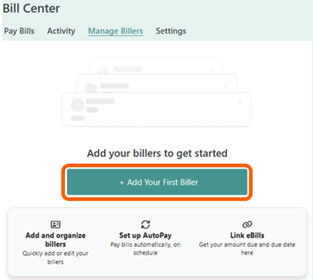
If you haven’t added any billers yet, select Add Your First Biller.
Step 3: Find your biller
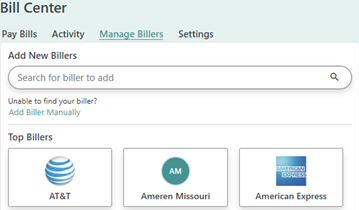
Use the search bar to find the biller you want to add, or select one from the list of popular billers.
Step 4: Enter your account information
Enter the requested account information for the biller, then select Add Biller.
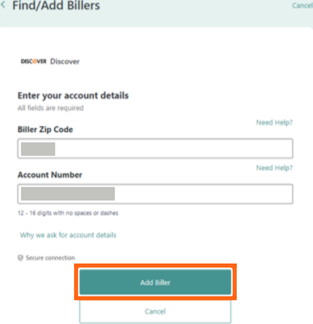
You’ll see a confirmation when the biller has been successfully added.
Add Another Biller
Once you have billers set up, you can add another biller directly from the Pay Bills screen.
Go to Add New Billers and search for the biller you want to add, or select one from the list of popular billers.
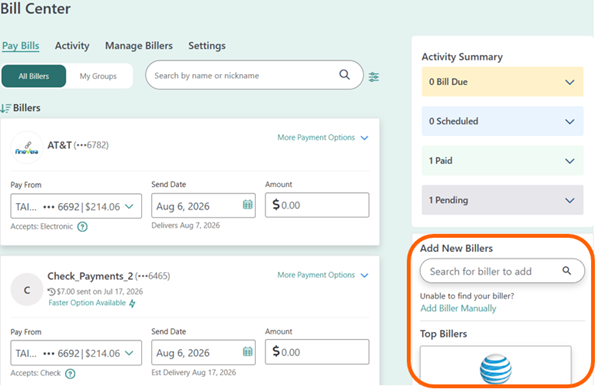
Select the biller, enter the requested account information, then select Add Biller.
Add a Biller Manually
If you can’t find the biller you’re looking for, you can add the biller manually.
From the Add New Billers section, select Add Biller Manually.
Enter the requested information for the biller, then select Add Biller.
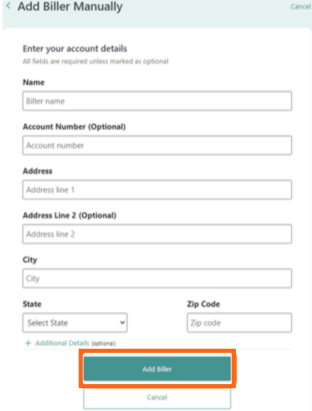
You’ll see a confirmation when the biller has been successfully added.
Edit a Biller
Go to Move Money > Pay My Bills, then select Manage Billers.
Find the biller you want to update, select the three-dot menu, then select View | Edit Biller.
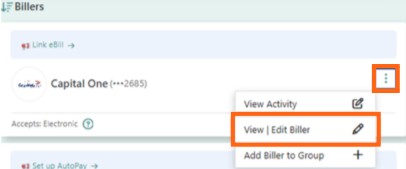
The information available to update will depend on the biller.
Delete a Biller
Go to Move Money > Pay My Bills, then select Manage Billers.
Find the biller you want to remove, select the three-dot menu, then select View | Edit Biller.
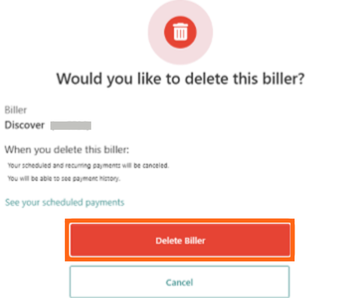
Select Delete Biller.

Review the information on the confirmation screen, then select Delete Biller to confirm.
Before deleting a biller: Review any scheduled or recurring payments associated with the biller. Deleting the biller will also delete those payments. If you have eBills linked to the biller, they will also be unlinked.
Add a Biller in the Mobile App
Step 1: Open Bill Pay
In the Alltru mobile app, select Move Money at the bottom of the screen, then select Pay My Bills.

Step 2: Open Manage Billers
Select Manage Billers.
If you haven’t added any billers yet, select Add Your First Biller.
From there, search for the biller you want to add, enter the requested account information and select Add Biller.
You’ll see a confirmation when the biller has been successfully added.
Ready to make a payment? See How to Make and Manage Bill Payments.