


Learn how to quickly locate your Loan ID Number in order to make loan payments online.

To make an online payment on your loan, you’ll need to know where to locate your Loan ID. Your Loan ID is a 3-digit number that identifies your type of loan (new vehicle, adjustable rate mortgage, line of credit, etc.).
Note: Your Loan ID is not your Account Number. To find your Account Number, please refer to this article on How to Find your Full Account Number.
You can find your Loan ID in your new loan letter – which is mailed or emailed to you the day after the loan is funded – or found through online and mobile banking.
New Loan Letter:
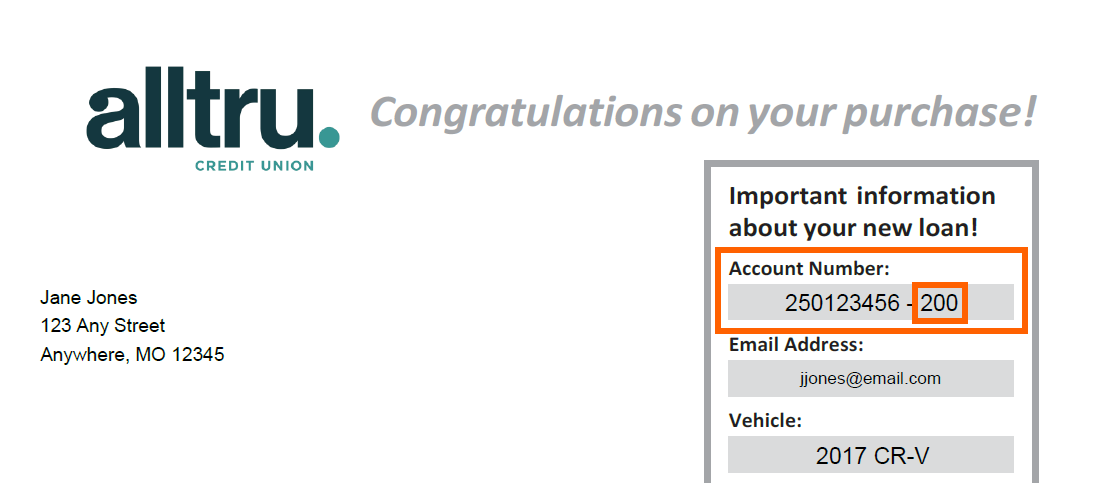
Your Loan ID is found under Important information about your new loan. Once you locate your Account Number, your Loan ID is the last 3-digits.
Note: In the below example, their Loan ID would be 200.
Online Banking:
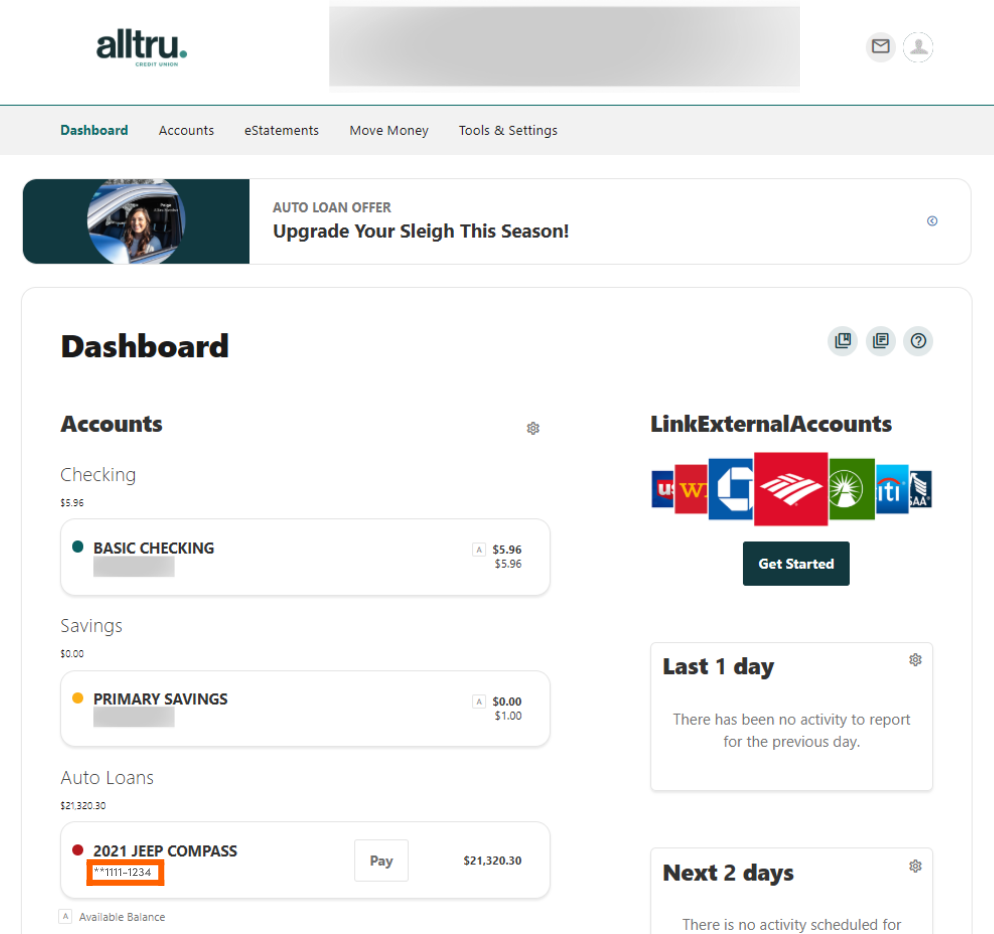
Please note that on online and mobile banking there is an additional ‘0’ before the Loan ID. When making a payment online, disregard the leading zero and only use the 3-digits at the end.
Step 1: Log into your online banking account.
Step 2: Once you log in, locate the loan on the Dashboard. Find the Loan ID directly underneath the loan description following the dash.
Mobile Banking:
Please note that on online and mobile banking there is an additional ‘0’ before the Loan ID. When making a payment online, disregard the leading zero and only use the 3-digits at the end.
Step 1: Log into your account on the Alltru CU App.
Step 2: Go to the Accounts widget at the bottom menu.

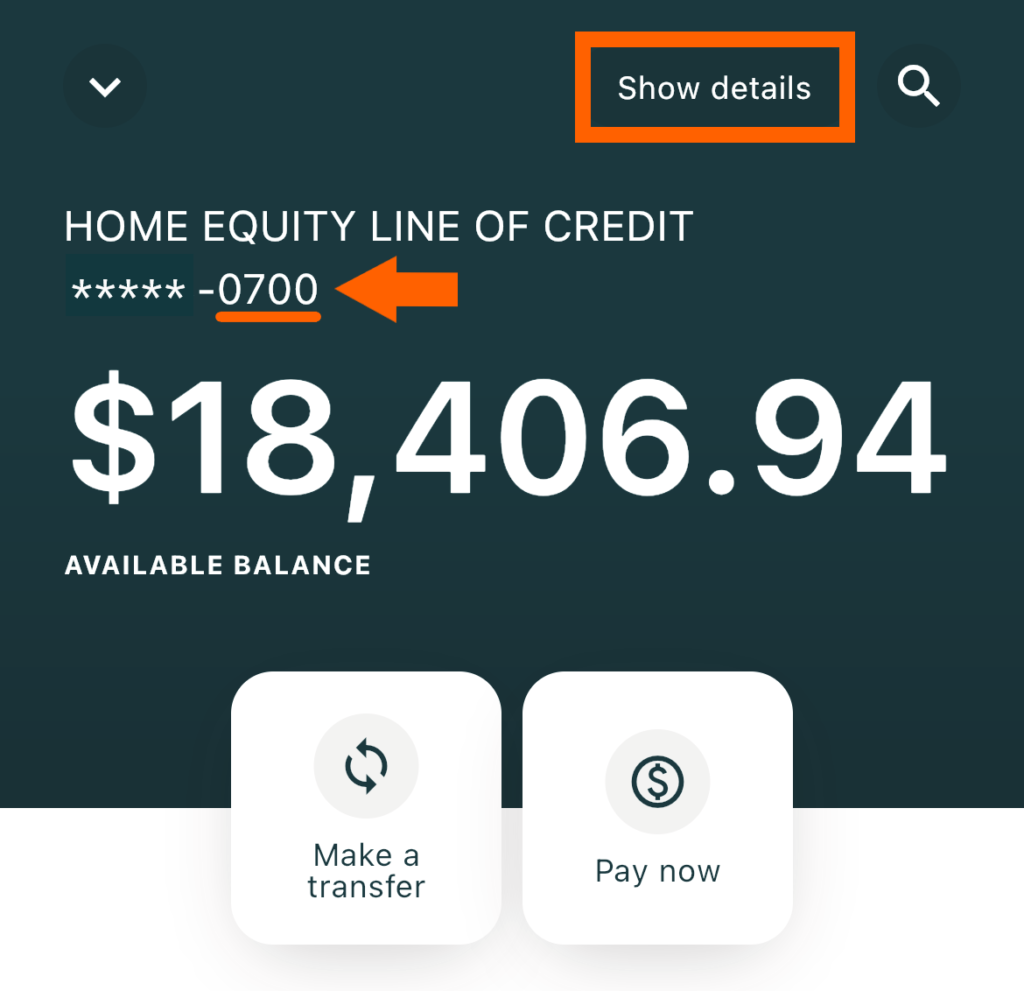
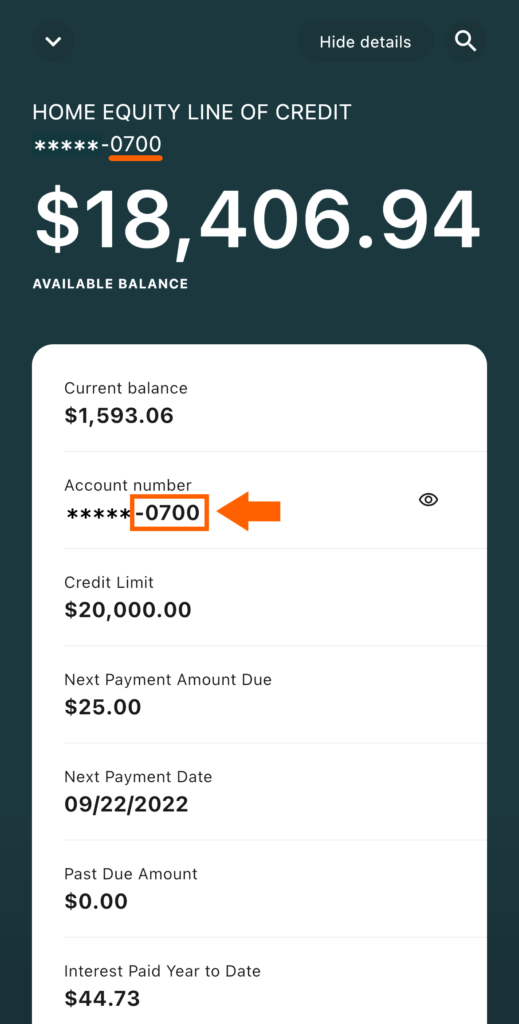
Step 3: Under the Accounts tab, locate the loan. Find the Loan ID directly underneath the loan description following the dash. If you prefer, you can select the Show details button to view your Loan ID.