


How to Pay in Person
1: Mobile Wallets
Mobile wallets are among the most secure ways to pay.
You can also add your card to a mobile wallet such as Apple Pay or Google Pay and pay using your smartphone or smartwatch.
Instead of sharing your actual card number with a merchant, the wallet uses advanced security technology that helps keep your card information protected.
For many purchases, using a mobile wallet can provide an additional layer of security beyond using the physical card itself. Learn how to set up a mobile wallet here.
2: Tap (Contactless Payment)
If your card has the contactless symbol, you can simply tap it on a compatible payment terminal.
Tap-to-pay uses the same secure chip technology as an inserted chip transaction but without needing to swipe your card or insert it into the machine.
It’s fast, convenient, and highly secure.
3: Insert (Chip)
The small metallic square on the front of your card is a chip.
When you insert your card into a payment terminal, the chip creates a unique security code for that specific transaction.
Because the code changes with every purchase, it is much more difficult for criminals to copy and reuse your card information.
4: Swipe
Swiping your card is the oldest payment method still in use today. While it remains available at many businesses, it is considered the least secure option because the information stored on the stripe can be copied by criminals using skimming devices. Skimming happens when someone uses a hidden device to copy your card information without your permission.
For this reason, whenever possible, we recommend using your card’s chip, tap feature, or mobile wallet instead.
Which Payment Method Is Most Secure?
Generally speaking:
- Mobile Wallet
- Tap
- Chip
- Swipe
All four methods are available for convenience, but whenever possible, we recommend using a mobile wallet, tap, or chip transaction instead of swiping.
Is Tap-to-Pay Safe?
Yes.
One of the most common myths about contactless cards is that someone can simply walk by and steal your card information.
That’s not how contactless payments work.
To complete a tap transaction:
- Your card must be very close to the payment terminal.
- The terminal must be actively processing a payment.
- Security technology protects the information being transmitted.
In fact, tap-to-pay is considered one of the safest ways to make a purchase.
Why We Pay Extra Attention to Swipe Transactions
Because magnetic swipe transactions are more vulnerable to fraud, they often receive additional monitoring. In some cases, a swipe transaction may indicate that a counterfeit card is being used. A counterfeit card is a fake copy of a real card created using stolen card information. This added monitoring helps us identify potentially fraudulent activity and protect you.
For example, if we see a swipe transaction at a merchant that normally accepts chip or tap payments, it may trigger additional review.
We also look for patterns that may indicate fraudulent activity, such as unusual spending behavior or multiple transactions that don’t fit normal account activity.
This helps us identify potential fraud before additional transactions occur.
Why a Swipe Transaction May Be Declined
Because swipe transactions carry a higher fraud risk, they may be subject to additional security controls.
As a result, you may occasionally experience:
- A declined transaction
- A request to verify a purchase
- A fraud alert asking you to confirm activity
A decline doesn’t necessarily mean there’s a problem with your account.
In many cases, it simply means the transaction triggered a security review designed to help protect you from unauthorized card use.
Using your chip, tap feature, or mobile wallet whenever possible can help reduce these situations.
Why Does My Card Work at One Store but Not Another?
Different businesses use different payment systems and security requirements.
You may find that:
- One merchant accepts a swipe transaction while another requires the chip.
- Some stores encourage tap payments.
- Certain ATMs require chip authentication.
- Some retailers have unique payment processing requirements.
Large retailers, warehouse clubs, gas stations, ATMs, and other merchants may all process transactions differently.
These requirements are not unique to Alltru Credit Union. Financial institutions, retailers, payment networks, and ATM operators across the country follow industry standards designed to reduce fraud and improve security.
Why Some ATMs Require the Chip
ATM fraud continues to be one of the most common forms of card fraud.
To help protect cardholders, many ATMs now require chip authentication whenever possible instead of relying on the magnetic stripe.
If an ATM asks you to insert your card instead of swiping it, the machine is using the more secure technology.
This is an industry-wide security practice and not a requirement created solely by Alltru Credit Union.
What If My Chip Doesn’t Work?
Over time, card chips can become damaged or wear out.
Signs that your chip may not be working properly include:
- The terminal asks you to insert the card multiple times.
- The chip cannot be read.
- Your card only works when swiped.
If your chip is no longer working correctly, request a replacement debit card in online banking by selecting Accounts and the Manage My Cards or contact us to request a replacement credit card.
We can help determine whether a replacement card is needed. Replacing a damaged card can help prevent transaction issues and provide a more secure payment experience.
Fraud Alerts: Another Layer of Protection
Our fraud monitoring systems continuously look for unusual account activity.
If something appears suspicious, you may receive the following alert, in this order:
- An email
- A text message
- A phone call
These alerts help verify whether a transaction was actually made by you.
Responding promptly helps us protect your account and resolve potential issues more quickly.
Example alerts:
When receiving an email alert, the information in the email will confirm the dollar amount, date and the name of the merchant that was declined.
You will be prompted to choose between a green and red button.
Green button = transaction is authorized and the card block will be removed.
Red button – transaction is not authorized and the card will remain blocked. Please contact Alltru for a new card and to complete a fraud claim if applicable.
Note: Legitimate emails, texts or calls from Alltru Credit Union will never ask you for your card or security information.
Text
When receiving a text alert, the information will confirm the dollar amount, date and the name of the merchant was declined.
You will be prompted to select ‘Y’ or ‘N’ to confirm the transaction.
If ‘Y’ is selected, you will receive confirmation that your card is available for use and to re-try the transaction.
If ‘N” is selected, two response opportunities will enable, if the system determines it is an appropriate time to call, the system will send a text response confirming your card is blocked and you will receive a call from the fraud department. If the system determines that it is after hours, you will receive confirmation that your card is blocked and to contact the fraud department along with a case number for reference.
Note: Legitimate emails, texts or calls from Alltru Credit Union will never ask you for your card or security information.
Phone Call
When receiving a phone call alert, the fraud department agent will state that they want to verify some recent activity on your card ending in <last 4 of card>, the agent will confirm the dollar amount, date and the name of the merchant was declined.
You will be prompted to select 1 if this was authorized, 2 for additional details, and 3 if this was not authorized. If option 3 is selected, you will be connected to a live agent.
If a voicemail is left, you will be asked to call the fraud department back and reference the 4-digit case number.
Note: Legitimate emails, texts or calls from Alltru Credit Union will never ask you for your card or security information.
Set Up Account and Card Alerts
Many cardholders choose to receive alerts about account activity.
Depending on the services available to you, alerts may notify you when:
- Purchases exceed a certain dollar amount
- ATM withdrawals occur
- Online purchases are made
- International transactions are processed
- Your card is used in unusual ways
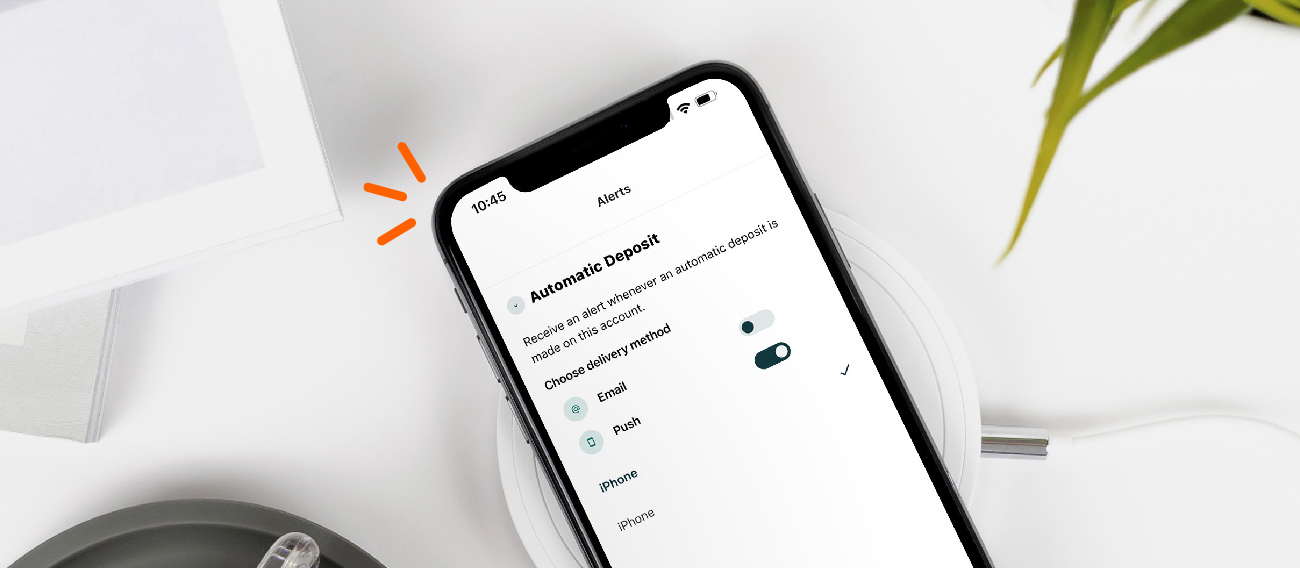
Alerts can provide peace of mind and help you identify unauthorized activity quickly. With digital banking, you can choose from a wide variety of alerts including automatic transfers, direct deposits, balance alerts, insufficient funds, check clearing and more. It’s also great way to get immediate information on any suspicious activity on your accounts. On mobile devices, you can select from email notifications or push notifications.
Protecting Yourself from Fraud
A few simple habits can go a long way toward protecting your account:
Contact us if your chip stops working.
Use mobile wallets, tap, or chip whenever possible.
Review your transactions regularly.
Respond to fraud alerts promptly.
Keep your phone number and email address up to date.
Report lost or stolen cards immediately.
A Final Word About Security
Payment technology continues to evolve, and so do the methods criminals use to commit fraud.
That’s why financial institutions, retailers, ATM operators, and payment networks continually update security standards and fraud monitoring practices.
While an occasional verification request or declined transaction can be inconvenient, these safeguards are designed with one goal in mind: helping keep your account safe and your money protected.